


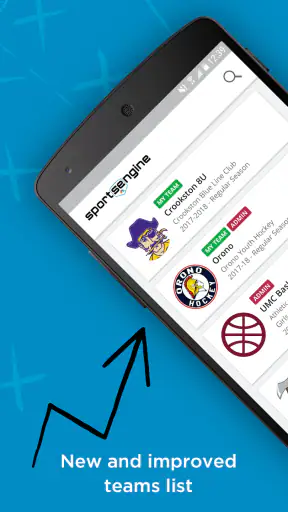
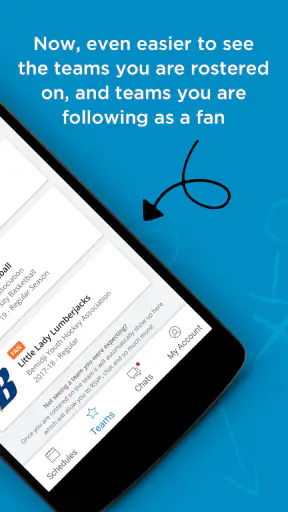
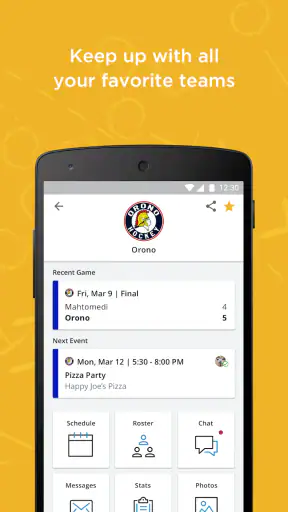
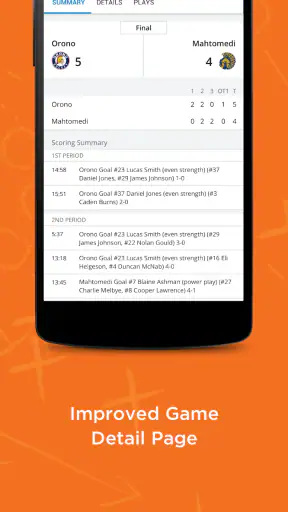
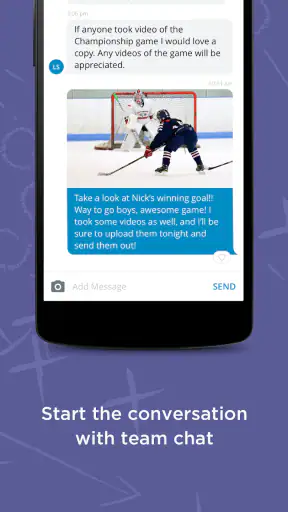
Managing a youth sports team usually involves much more than showing up for practice. There are schedules to remember, families to reach, changes to pass along, and players who need to know where they should be and when. SportsEngine – Team Management is built around reducing that coordination burden. I found its most useful role to be a shared team communication space: instead of relying on scattered messages, parents, coaches, and athletes can use one sports-focused place to follow team activity.
That focus makes the app easier to understand than a general calendar or a group chat, but it also shapes who will enjoy it. This is a Sports app from VersantMedia, available free of charge and rated for Everyone. It has been around since Jan 12, 2013, and its current version is 7.5.1, with support for Android 8.0 and later. The store summary calls it “The Home of Youth Sports,” and that description fits its intended audience better than a broad claim that it is a complete solution for every kind of club administration.
Why the shared team space matters
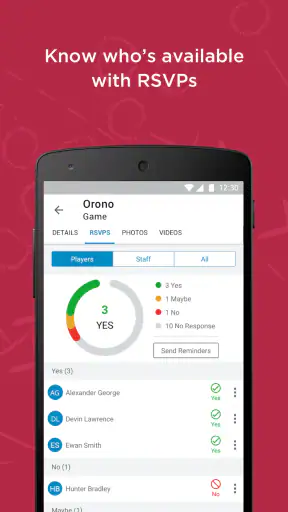
The central capability is not simply displaying a calendar. It is bringing the team’s practical information into a context that families already understand: a roster, a season, events, and communication connected to the same group. In my experience, that connection is what separates this kind of app from a normal calendar. A calendar can tell me that something happens on Saturday; a team-management app can make that event meaningful by placing it alongside the people and activity it belongs to.
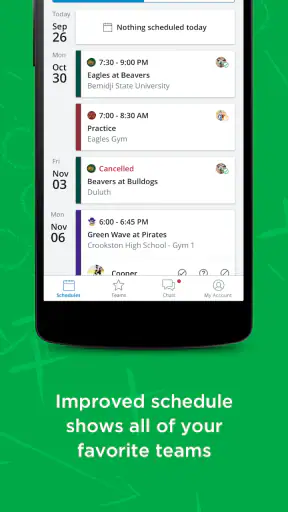
That distinction is especially valuable in youth sports, where one person may be following several schedules at once. A parent might have one child at a weekday practice, another at a weekend game, and a different family commitment competing for attention. The app is most helpful when it gives everyone a common reference point instead of making one volunteer repeat the same information across multiple conversations.
I also like that the app’s purpose is immediately practical. It is not trying to turn team administration into a social network or bury basic information under unrelated content. When a team adopts the same place for its day-to-day coordination, the benefit comes from consistency. Coaches know where to post, parents know where to look, and players have a better chance of seeing the same update as everyone else.
The public response suggests that this approach has reached a substantial audience: SportsEngine – Team Management has passed one million installs and holds a 4.6 average from around 17 thousand ratings. I would not treat those figures as a guarantee that every team will have a smooth experience, because the app’s usefulness depends heavily on whether the coach or organization actually uses it consistently. Still, they show that this is an established tool rather than an obscure experiment.
What using it feels like for a family
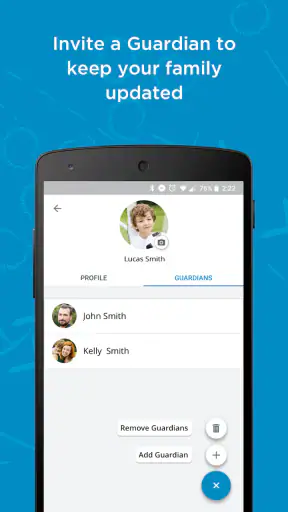
The first important step is joining the correct team environment and making sure the relevant player or family connection is represented accurately. That sounds simple, but it is where many team apps can become confusing. If a parent belongs to multiple teams, or if a child changes teams during a season, the value of a unified app depends on keeping those relationships organized. I would take a moment at setup to check that the right team and player information are visible before relying on the app for an important event.
Once the team is in place, the app works best as a habit rather than an emergency tool. I would check it at the beginning of the week, review upcoming activities, and then return whenever a coach announces a change. That routine is more reliable than waiting for a separate message to arrive, especially when details change close to practice or game time.
A useful, less obvious habit is to treat the team space as the source of truth. If a family continues to maintain a private text thread, an email chain, and the app at the same time, confusion can remain even after installing SportsEngine. The app cannot solve contradictory communication by itself. The coach or team administrator needs to make clear that official updates belong in one place, and families need to resist treating old messages as current instructions.
For a coach, the advantage is less about saving a few taps and more about reducing repeated explanations. A schedule adjustment can be shared with the whole group instead of being sent individually. A parent can check the team information directly rather than asking another parent whether practice moved. This is where the app can quietly improve a season: fewer duplicated questions, fewer missed updates, and less pressure on the person who already volunteers much of their time.
There is also a useful distinction between information that changes and information that should remain easy to revisit. A last-minute update deserves attention, while a regular event may only need to be checked once. I found it helpful to look at the app with those two purposes in mind: first to understand what is coming, and then to confirm whether anything has changed. That approach prevents the app from becoming another stream of notifications that I open without knowing what I am looking for.
A realistic Saturday morning example
Imagine a parent preparing two children for a busy Saturday. One child has a morning activity, while the other has a later team commitment. Rather than searching through a family chat for an old message, the parent opens SportsEngine – Team Management and checks the relevant team information. If the coach has posted a change, that update can guide the morning plan. If nothing has changed, the parent can leave with more confidence instead of sending a message just to confirm the schedule.
The same scenario shows why adoption matters. If only half the families use the app and the rest depend on separate messages, the parent still has to monitor several channels. The app’s strongest effect appears when the whole team agrees that it is the normal place to check. In that situation, it becomes a coordination tool rather than merely another app installed on a phone.
For coaches, the Saturday example has a second benefit. A single update can reach the group without requiring the coach to remember which families prefer text, email, or another messaging service. That does not eliminate the need for judgment—an urgent change may still deserve extra attention—but it creates a dependable home for the information. I see that as the app’s real strength: it gives routine team communication a clear address.
Where it beats ordinary alternatives
A group chat is fast and familiar, but it is poor at preserving context. Messages move quickly, important details can disappear under casual conversation, and a new family may struggle to understand what happened before joining. SportsEngine is better suited to information that needs to remain connected to the team rather than buried in a stream.
A general calendar has the opposite weakness. It can organize dates, but it does not naturally explain which roster, coach, or team activity those dates belong to. A shared document may hold more written detail, but it often depends on someone maintaining it carefully and reminding everyone to open it. SportsEngine sits between those options: more structured than chat, and more team-specific than a basic calendar.
That does not mean it replaces every alternative. A very small recreational group that already communicates perfectly through a single chat may not gain enough to justify changing habits. Likewise, an organization looking for deep club administration, accounting, registration, or advanced performance analysis should not assume that a team-management app is automatically the right destination. I would choose it for coordination first, not because the category label promises every possible sports-office function.
The tradeoff between structure and simplicity
The same structure that makes the app useful can create friction. Families must learn where the team keeps information, and administrators must maintain the environment consistently. If an event is outdated, a roster is incorrect, or an important announcement appears in a different channel, the app can actually add uncertainty because users reasonably expect the team space to be accurate.
There is also a social tradeoff. Some people prefer a quick personal message and may see a team platform as one more responsibility. Others appreciate having a record they can revisit. In my view, the best approach is to keep the app for shared team information and use direct communication only when a situation genuinely needs personal discussion. That division keeps the common space useful without forcing every conversation into it.
Notifications deserve thoughtful handling as well. Too few alerts can cause a family to miss a change, while too many can make people ignore everything. I would review notification behavior after joining and decide which updates need immediate attention and which can wait until a planned check. The goal is not to react to every phone buzz; it is to make sure important team changes are not lost among unrelated activity.
Another tradeoff is that a free app can still have a real time cost. Parents may need to learn a new workflow, coaches may need to explain it to the team, and administrators may need to correct setup mistakes. The price of zero does not remove those adoption costs. For a team already struggling with inconsistent communication, however, that initial effort can be worthwhile if everyone commits to the same routine.
Who should use it—and who should skip it
I would recommend SportsEngine – Team Management to parents who follow organized youth sports and want one team-centered place to check what is happening. It is particularly suitable for families managing more than one player, because a shared structure can be easier to follow than several independent message threads. It also makes sense for volunteer coaches who need a clearer way to communicate with a group without manually repeating every update.
It is a good fit for teams willing to establish one communication habit: check the app for the current team information. That small agreement matters more than technical enthusiasm. The app can organize the channel, but it cannot make a team coordinated if officials continue posting essential details elsewhere.
I would be more cautious if your group is informal, tiny, and already satisfied with its existing method. Switching tools creates work, and not every team has enough scheduling complexity to benefit. I would also look elsewhere if your main requirement is specialized training analysis, detailed club finance management, or a broad administrative system. SportsEngine’s value is strongest in the everyday middle ground between a coach’s notebook and a noisy group chat.
For a player, the benefit depends on age and responsibility. Younger children will usually rely on a parent or guardian to interpret schedules and updates, while older athletes may appreciate having direct visibility into team activity. Because the app is rated Everyone, it is positioned for a broad audience, but families should still decide how much responsibility a child is ready to take for checking information and responding appropriately.
Small habits that make the app more effective
My first practical tip is to check the team space at a fixed point in the week, not only when someone reminds you. A Sunday evening review, for example, can make the coming days easier to plan. Then use a second quick check before leaving for an event if weather, transport, or venue details are likely to change. This workflow turns the app into a planning tool instead of a source of last-minute anxiety.
My second tip is to confirm team membership early. If you follow several teams, look carefully at which child and which schedule you are viewing before acting on an update. Many mistakes in family scheduling come from assuming that the first visible event belongs to the right player. A few seconds of attention here can prevent an avoidable trip to the wrong place or at the wrong time.
My third tip is for coaches: announce the communication rule when the season begins. Tell families that the app is where current team information will live, and avoid quietly splitting essential updates between unrelated channels. This is not a flashy feature, but it is the condition that unlocks the app’s strongest advantage. Without that rule, SportsEngine becomes a supplement; with it, the app can become the team’s shared reference point.
A fourth useful practice is to separate questions for the whole group from private matters. If a question affects everyone, placing it in the team conversation can help other families too. If it concerns one player’s personal situation, a direct route is usually more appropriate. That keeps the shared space focused and makes important team-wide information easier to notice.
My final view after using it
SportsEngine – Team Management is not compelling because it tries to do everything. I recommend it because it concentrates on a problem that youth teams repeatedly face: keeping families aligned around the same information. Its best result is subtle but meaningful. When a team uses it consistently, the coach spends less time repeating logistics and parents spend less time searching through old conversations.
The app is free, supports a broad age audience, and has the reach of a mature Sports product, with around 2.9 thousand written reviews alongside its ratings. Those figures help explain why it is familiar to many sports families, but the real test is local: will your coach, club, and other parents treat it as the dependable place for updates?
My honest recommendation is yes for organized youth teams that need a shared communication routine, especially when several schedules are competing for a family’s attention. I would skip it for a group that already communicates clearly through one simple channel or for anyone seeking a specialized performance or business-management platform. Used for the job it is designed to handle, SportsEngine – Team Management turns team logistics into something easier to check, share, and trust.


